Permit Tab
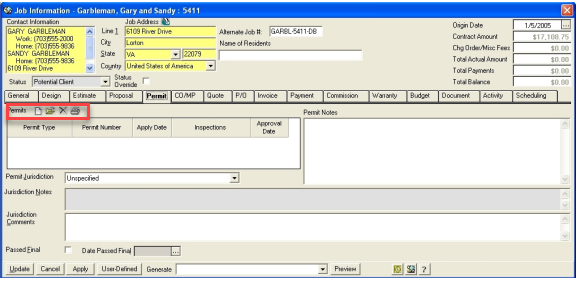
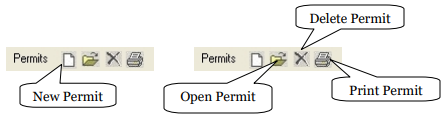
ADD new permit.
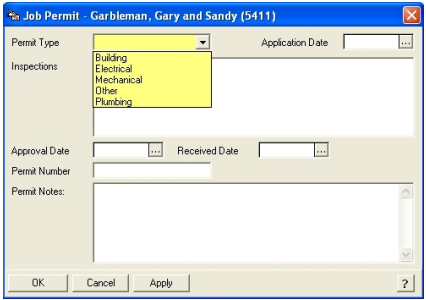
Permit Type - Make a selection.
Application Date -Enter the application date of the Permit
Inspections - List of scheduled inspections and outcome ... maintained seperately.
Notes - until after the Permit has been saved.
Approval Date - Enter a Date the Permit was approved.
Received Date - Enter a Date the Permit was received.
Permit Number - Enter a permit number.
Permit Notes - Enter any notes specific to this permit.
Inspections
RBS allows you to track inspections done on each job. To enter Inspection notes you will open the Permit by double clicking on it. You will get a permit form to enter inspection details.
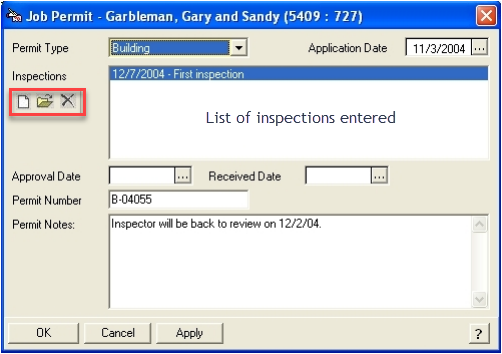
To add a New inspection note, click on the new button to display the Inspection form.
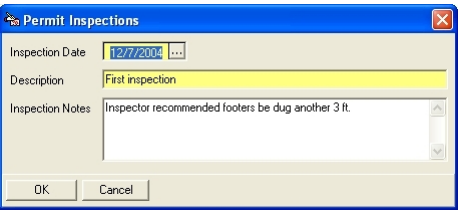
Enter the date, Description and Notes. Click OK button to save.
EDIT existing permit record
Click on the EDIT button on the list of permits.
Make the necessary edits and click on the OK button to save.
DELETE existing Permit record
Click on the DELETE button on the list of permits.
Click on the DELETE button to remove the permit after confirmation..